Basic JavaScript Deobfuscation
Code obfuscation is where entities such as adversaries and developers use a wide range of techniques to make the code harder to read but function as expected. This process is usually done using automated tools.
For adversaries, obfuscating malicious code makes it harder to reverse engineer, analyse, and detect while still performing its purpose.
Deobfuscation is the process of taking the unreadable code and converting it to a format/layout that defenders (in this example) can understand and analyse.
This blog will specifically cover JavaScript (JS) deobfuscation.
Viewing the Source Code
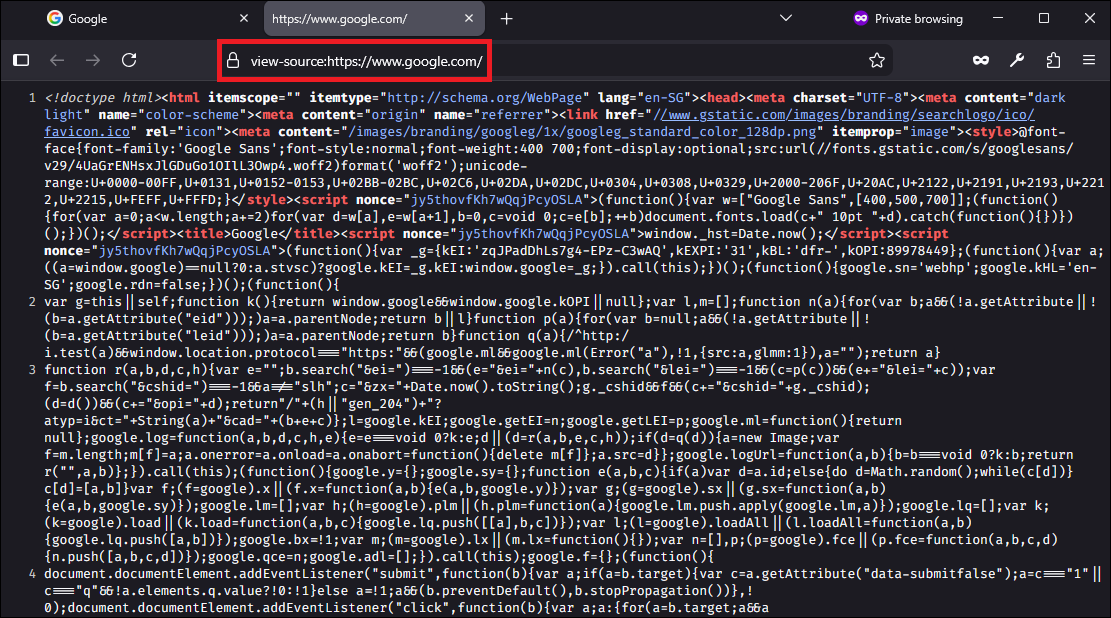
To view a website's source code, simply navigate to the page and view source by right clicking the page and clicking view source.
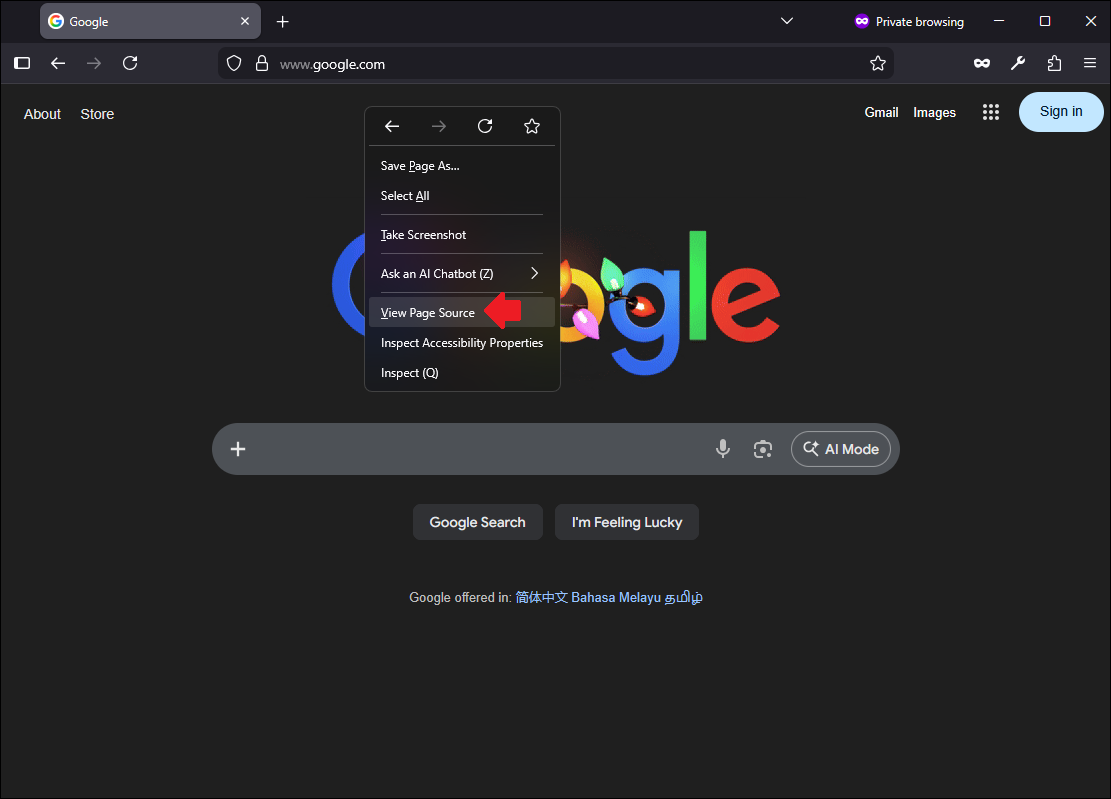
Alternatively, we can add view-source: in front of the URL. Both methods will lead to the same view source page.
Locating JavaScript Code
There are 2 main methods that websites can use to load JavaScript (JS) code:
- Code within the HTML source code
- From a
.jsfile
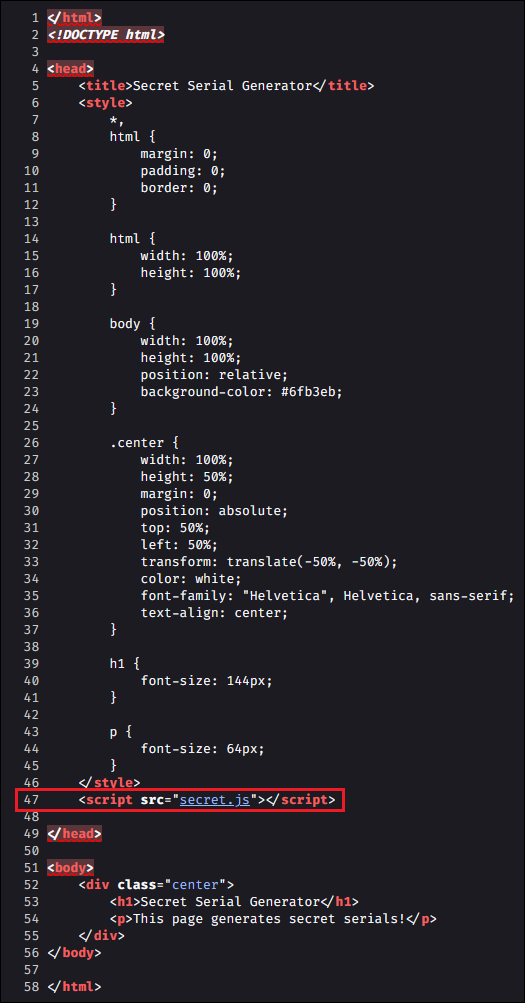
To run JavaScript code in HTML, the <script> tag can be used. This tag can be used to either have the JavaScript code within the tag or have it loaded from a .js file.
Obfuscation Techniques
There are many different techniques that can be used to obfuscate code. This section will cover minifying and packing.
Note that the techniques mentioned here are not limited to JavaScript and can be used on other languages.
More advanced techniques using tools such as https://obfuscator.io/ will not be covered in this blog.
Minification
Code minification is a common method to reduce the readability of code while maintaining its function. This method will have modify the entire code which can span multiple lines into a single (potentially very long) line.
Minified code is usually saved using the .min.js extension.
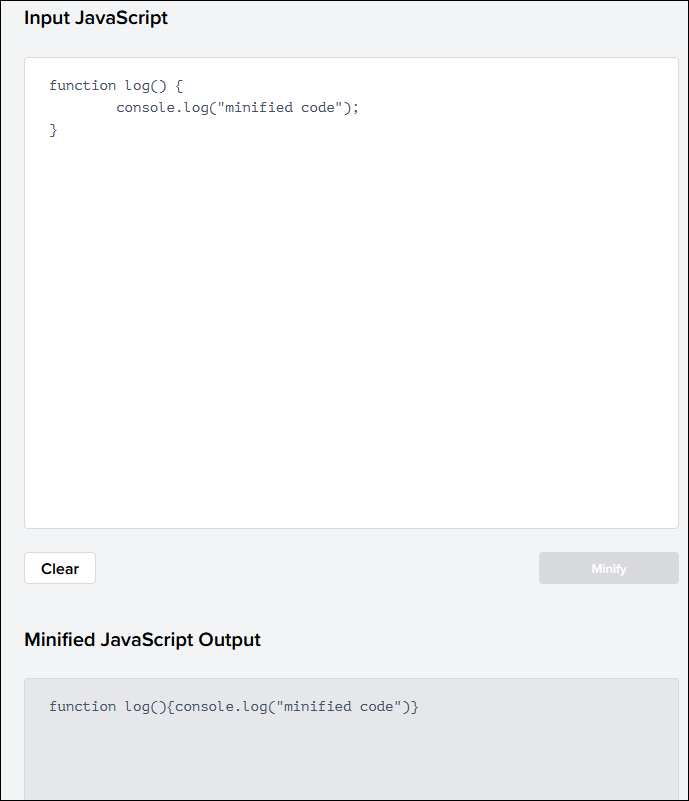
Tools such as JavaScript Minifier can be used to accomplish this.
https://www.toptal.com/developers/javascript-minifier
An example will be minifying the following code snippet.
function log() {
	console.log("minified code");
}
Minified version:
function log(){console.log("minified code")}
Packing
Packing is where (usually a tool) attempts to convert all words and symbols of the code into a list or dictionary. Once converted, the dictionary is referred to rebuild the original code during execution.
An example is using the following tool to obfuscate our code.
https://beautifytools.com/javascript-obfuscator.php
Original code:
function log() {
	console.log("packing code");
}
Obfuscated code:
eval(function(p,a,c,k,e,d){e=function(c){return c};if(!''.replace(/^/,String)){while(c--){d[c]=k[c]||c}k=[function(e){return d[e]}];e=function(){return'\\w+'};c=1};while(c--){if(k[c]){p=p.replace(new RegExp('\\b'+e(c)+'\\b','g'),k[c])}}return p}('1 0(){2.0("4 3")}',5,5,'log|function|console|code|packing'.split('|'),0,{}))
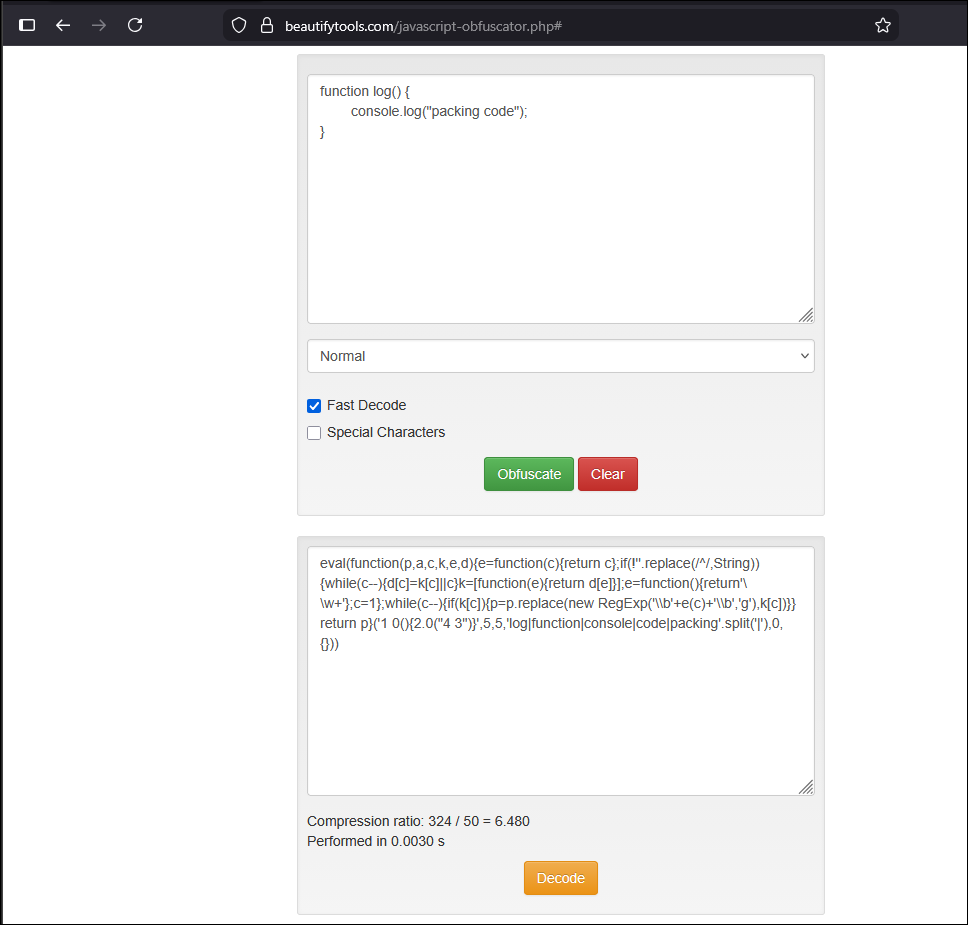
In this example, the list is p,a,c,k,e,d which will then be used to rebuild the original code when executed.
The p,a,c,k,e,d string is how we can identify that the code has used packing as a method of obfuscation. This list can vary based on the tool and sophistication.
Deobfuscation
To deobfuscate code, we can use tools. However, depending on how sophisticated the obfuscation is, tools may not work and we may need to manually reverse engineer the obfuscated code.
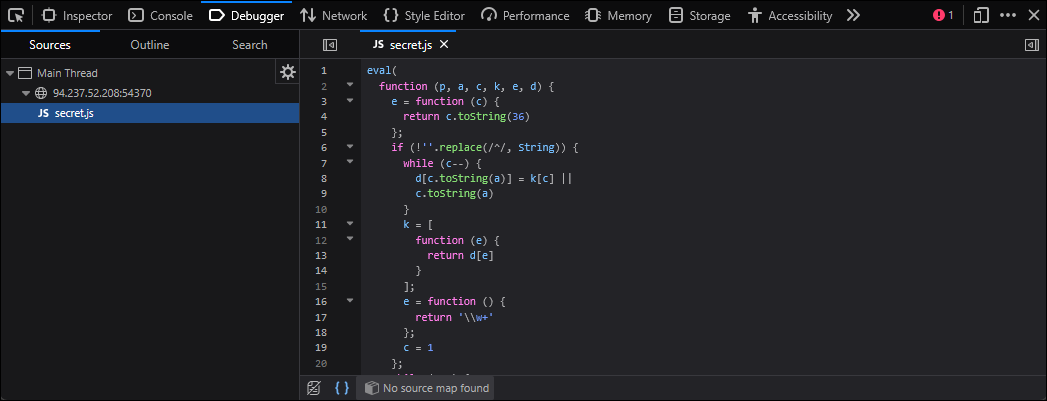
In DevTools debugger tab, if the code has been minified (also known as minified JavaScript), we can use the following option at the bottom left ({ }) which will pretty print the minified code.

Pretty Print:
To deobfuscate code that has been obfuscated using packing, the tool "UnPacker" can be used.
https://matthewfl.com/unPacker.html
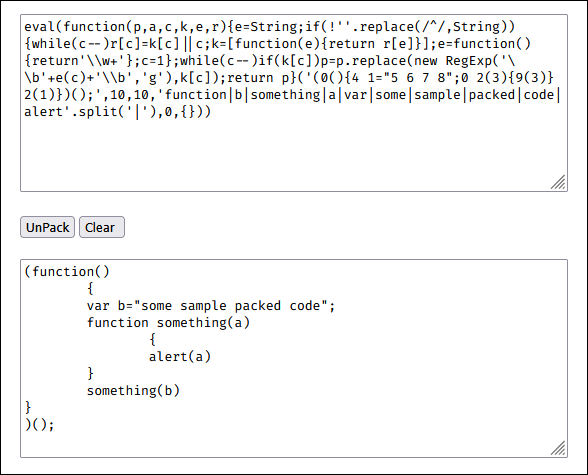
Once the code has been deobfuscated, code analysis can begin to understand what functions it is performing, attribute the code to adversarial groups, create detection rules, and more.