Recovering Deleted Files with Active Processes in Linux

If an adversary compromises a system using methods such as social engineering, it is possible for an adversary to execute malware and delete it(self) from the file system while maintaining a running state.
This section will cover a simple way to recover deleted files (e.g., executed malware) on a Linux system.
An example will be where an adversary copies a binary from the /bin directory (e.g., netcat) to a different directory to execute before deleting it.
Scenario:
- The adversary copies the netcat binary to the compromised user's directory using a script.
- The adversary executes a backdoor to allow unauthorised remote access to the target host.
- The adversary is able to connect and delete the binary from the file system while maintaining remote access.
Backdoor command:
/bin/bash backpipe 0<backpipe | ./filelistener -l 55123 1>backpipe
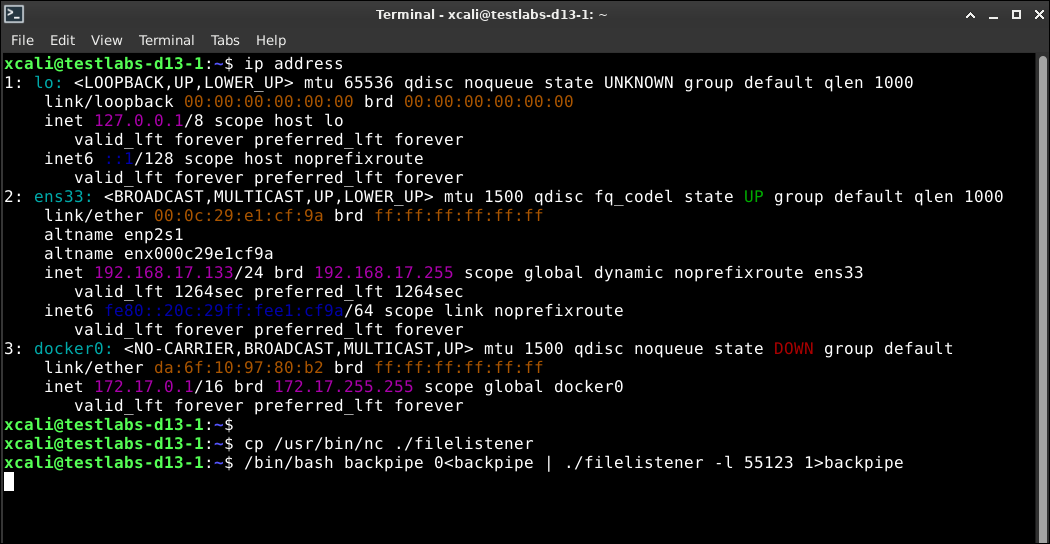
Note that filelistener is the netcat binary from the /usr/bin/ directory.
Some reasons on why an adversary will move and delete the binary/malware used would be to prevent responders from analysing the files used or attempt to obfuscate the payload/command usage path.
To identify processes running with deleted files on the file system, the following command can be used.
lsof +L1
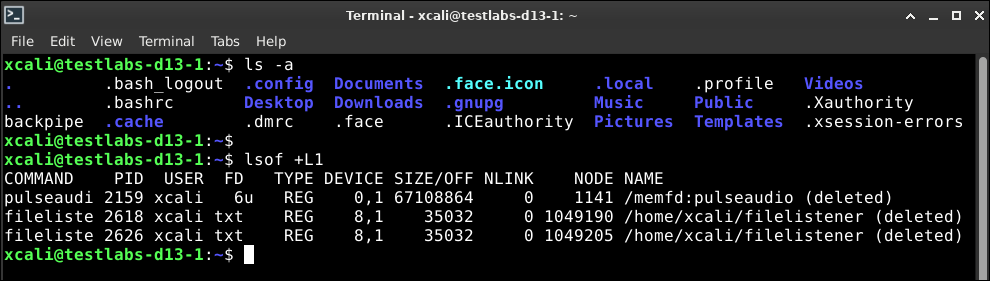
The above command will list all open files that has a link count that is less than 1. If an open file has a link count of 0 (<1), it means that it has been deleted (no longer exists). In the above screenshot, we can observe that the file /home/xcali/filelistner has been deleted.
To obtain the deleted file that is still in use by a process, navigate to the /proc/<pid> directory. This will allow us to obtain the deleted file in memory (RAM) as it is still in use by the process despite it being deleted on the file system.
In this example, the PID will be 2618.
ls /proc/2618
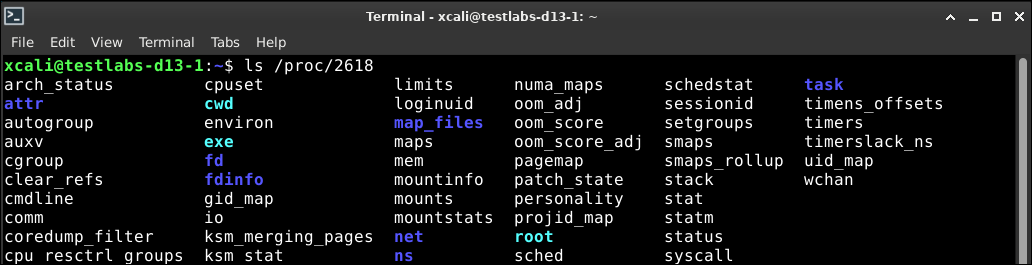
The executed file is named exe and can be copied out to another directory for further investigation. In this example, we are able to recover the renamed netcat file.
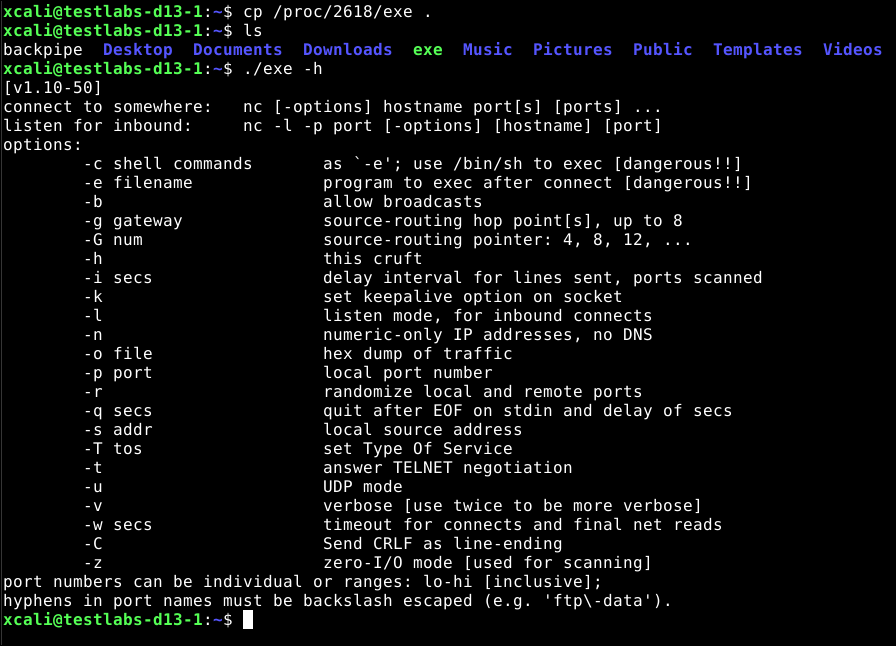
Once the file has been recovered, this will allow us to perform further analysis.